🌍
Your country's seminars
No more E-75: Ministry Manager is your report.
What do you need to do?
❓ How do I…
📋From E-75 to Ministry Manager
- One E-75 row → one seminar in Ministries
- Country · city → Country · Venue (India: + State)
- Start · end → Start Date · End Date — pick from the calendar
- Students → Enrolled (started) · Completed (finished)
- Facilitators → add each one · not in the system → Remarks
- “*” online → Seminar Type Online
- Next month's plan → add it when the dates are known
- Prayer requests → B-75
- Do not upload your E-75 file — type each seminar. Report & Grade Files is for grade sheets.
📄Many seminars that look alike
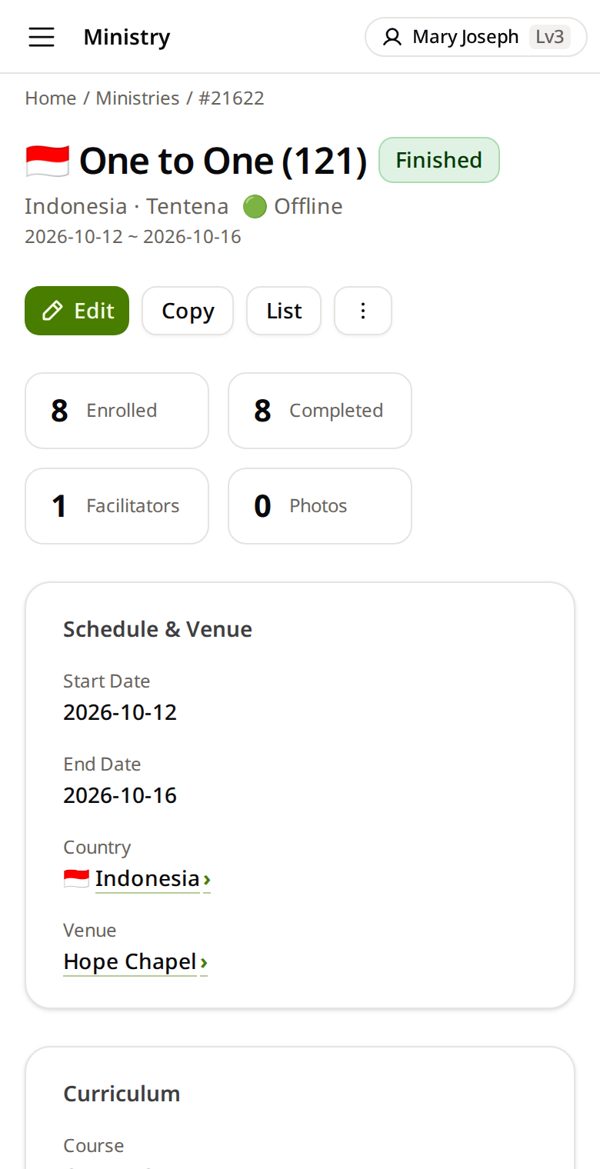
Open one you already added → Copy → change what is different (dates, place, numbers) → Save.
🗓When to do what
- A seminar starts → Add a seminar
- It ends → Close a finished seminar
- End of month → Month-end check · Start of the next month → B-75
- Once a year → Yearly indigenization analysis
👥Teach a facilitator
Sit beside them. On their phone they add one of their own seminars — you point, they type. Then one more alone.
🌏Several countries
You see the countries you look after. Choose the right Country on each seminar.
📋Two groups, same course
Two groups of the same course in one city are two seminars.
📨Where my B-75 goes
One B-75 per person each month — it covers all your countries. It goes to your branch director, then HQ. Yearly numbers count a seminar in the year of its End Date.
🔎Is it already there?
Before you add: Search the course or place, or Filter by country and year. Same course + same place + same start date = it is already there — open it instead.
📅Planned, postponed, cancelled
- Planned: add it now with its dates. It shows as New until it starts — B-75 counts it as next month's plan.
- Postponed: Edit → change the dates.
- Cancelled: open the seminar → ⋯ → Mark as cancelled. Do not delete it — it stays in the list and is left out of the numbers.
✍️Boxes you can leave empty
Boxes with * must be filled. Group, Max Capacity, Open for Enrollment and Fee settings are for classes run in Ministry Manager — for your report you can leave them.
🗓Dates
Tap the date box and pick from the calendar — your phone shows the day and month in its own order. Still going? Leave End Date empty. After Save, check the dates on the seminar card.
🙋Who to ask
Ask your branch director (or the missionary who helps you) first. They pass it to HQ when needed. Tell them the seminar number (#…) and the names.
💻Using a computer?
- Button and box names are the same as in the pictures.
- The menu is always open on the left — where the guide says ☰, use the left menu.
- Lists show as wide tables. Keep this guide open on your phone beside you.
🆘 I'm stuck
I can't find the facilitator
They are not in the system yet. Add them: “A new facilitator”. In a hurry? Write the name in Remarks and add them later.
The same seminar is there twice
Do not delete it. Tell your branch director which one is right — they pass it to HQ, and HQ fixes it.
My country is not in the list
You can choose only the countries you look after. Ask your branch director — they ask HQ to add yours.
B-75 says this month is already sent
One per month. Open the one you sent (Applications → What I sent) and edit it.
The seminar is in the wrong year
Yearly numbers use the End Date. Check it.
My State or place is not in the list
Place: tap + next to Venue to add it. State: leave it empty and tell your branch director.
The wrong facilitator is on the seminar
Open the seminar → Edit → Facilitator Assignment Info: pick the right name in that row, or tap ✕ to remove one → Save.
I put the seminar in the wrong country
Open the seminar → Edit → Country → the right one. Venue, Group and State empty out — choose them again → Save.