👋
Welcome to Ministry Manager
Let's get you in. About 5 minutes.
How will you sign in?
❓ How do I…
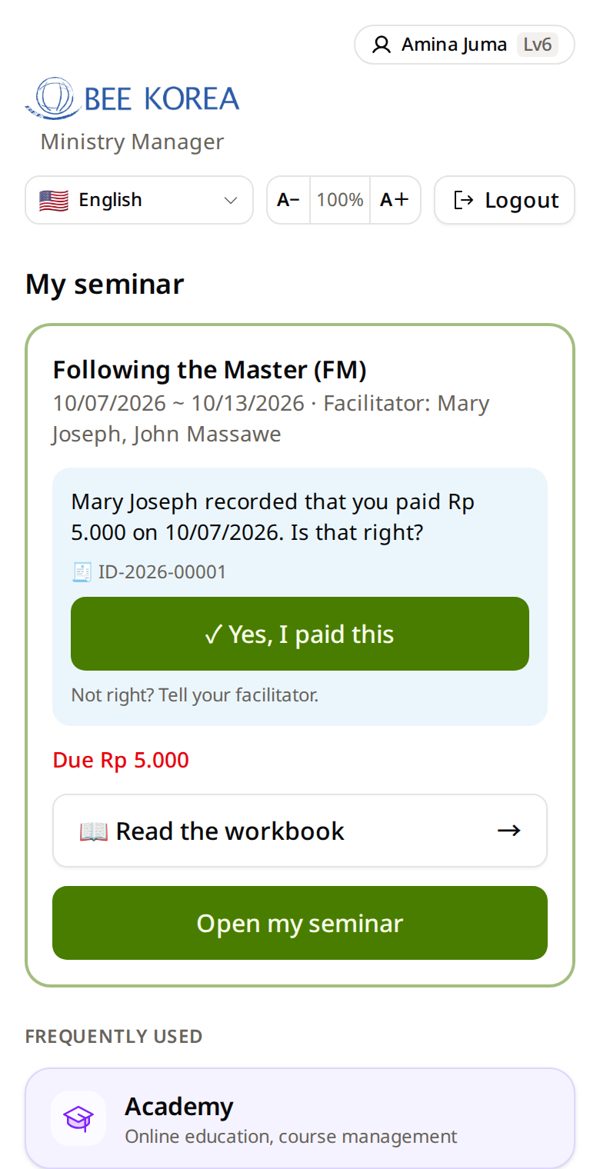
🌐Change the language
Tap the language box (English) at the top → pick your language. This phone remembers it.
📲Put it on my home screen
- Android: ⋮ → Install app
- iPhone: Share ⬆ → Add to Home Screen
🧭Get back when lost
☰ (computer: left menu) → ← Home. On iPhone apps there is no back button — use ☰.
🔐Sign in without Google
Sign in with Google once → tap your name at the top → Username & Password Login → make one.
🔠Bigger text
On the home screen, top: A− 100% A+. Tap A+ until it is easy to read. It is saved in your account.
🔑Change my password
A password from your facilitator? Make your own: tap your name at the top → New password twice → Change password.
🪪Your name
No ID card? Write your full name the way it should be printed on your certificate.
💻Using a computer?
- Button and box names are the same as in the pictures.
- The menu is always open on the left — where the guide says ☰, use the left menu.
- Lists show as wide tables. Keep this guide open on your phone beside you.
🆘 I'm stuck
“Incorrect username or password.”
- Typed your Gmail? Use Sign in with Google instead.
- Username from your facilitator? Ask them for a New password.
“Welcome 👋” — but I already have an account
You used a different Gmail. Tap Sign in with a different Google account. Not sure? I'm already registered → find your account.
I forgot my password
- Gmail: there is no BEE password — use Sign in with Google. Forgot the Gmail password itself? Google's screen has “Forgot password?”.
- Account you made with your email: Forgot password? on the sign-in page.
- Username your facilitator made: ask them for a new password.
New phone
Sign in the same way. Everything is in your account, not on the phone.
Google says “This browser or app may not be secure”
You opened the link inside another app (Facebook, Instagram…). Open it in Chrome or Safari, then sign in again.
I have no email at all
Ask your facilitator to make a username and password for you. Then use “With a username”.
I made two accounts by mistake
Tell your BEE leader. Do not make another one — BEE joins them.
I forgot my Google password
BEE does not have your Google password. On the Google sign-in screen, tap “Forgot password?” and follow Google.
I see only a few tiles
New accounts start as a guest. Your facilitator or coordinator gives you the right level — tell them your name.